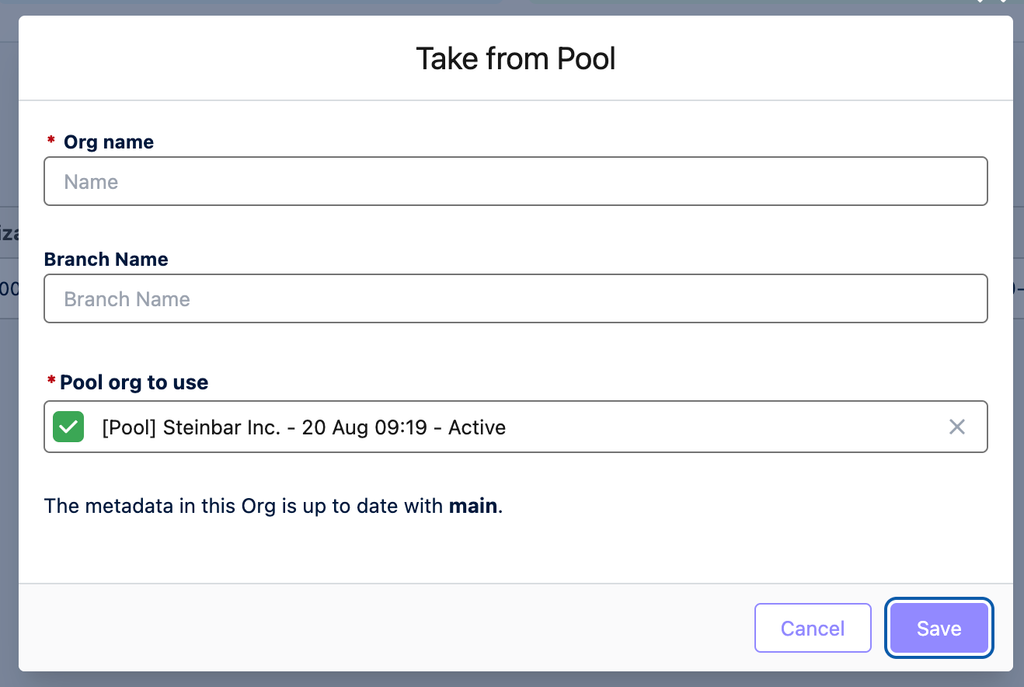
When you create a new Scratch Org in Hutte, you have two options. You can either create a brand-new Scratch Org, or take one from your project’s [Scratch Org pool] (if [Org pooling] has already been set up for your project).
Creating a brand-new Scratch Org

Red options are mandatory, blue options are optional.
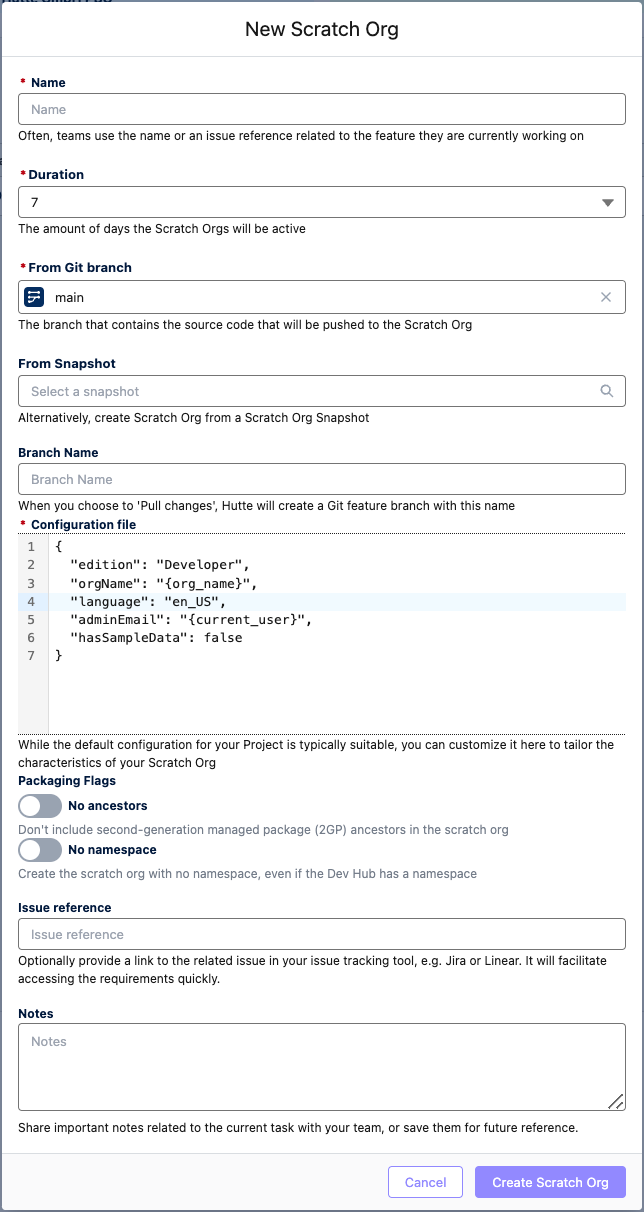
Next, click on “Create Scratch Org”. This will create a new Scratch Org based on the settings you’ve defined, and the “setup_script" and "push_script” from your project's configuration file will execute.
It may take a few minutes for your Scratch Org to “spin up”. The exact duration of creating depends on the complexity of your configuration (for example, the amount of metadata that gets pushed). The number (quota) of available Scratch Orgs depends on the Salesforce org (DevHub) that is connected to your project.
If you are running short on Scratch Orgs, reach out to your Salesforce account executive or to Salesforce support to have your quota raised. Learn more about Scratch Org quotas (limits) here.
Taking a new Scratch Org from the pool
If your Hutte admin has already set up Org Pooling for your Scratch Org project, you don’t need to wait for a new Scratch Org to spin up when you create a new one. Instead, you can just take one from the pre-made pool.